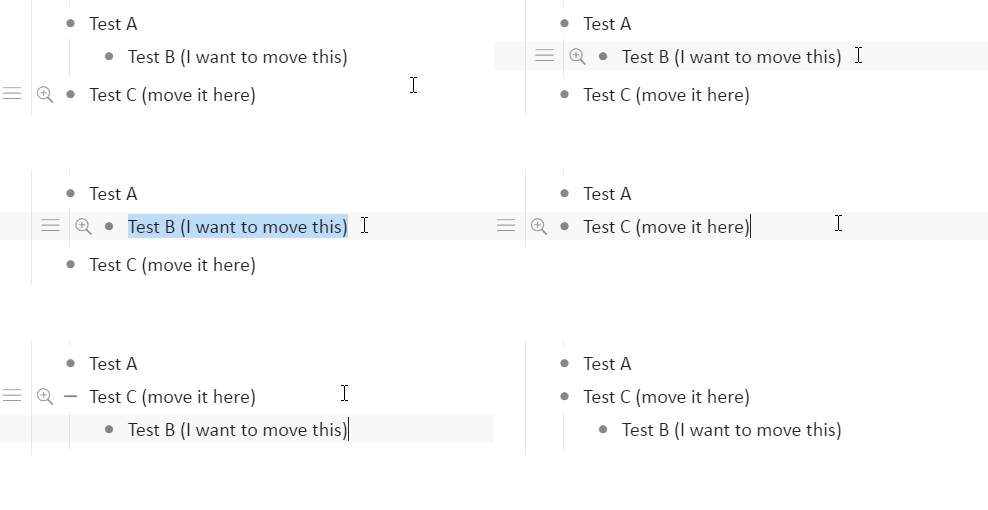
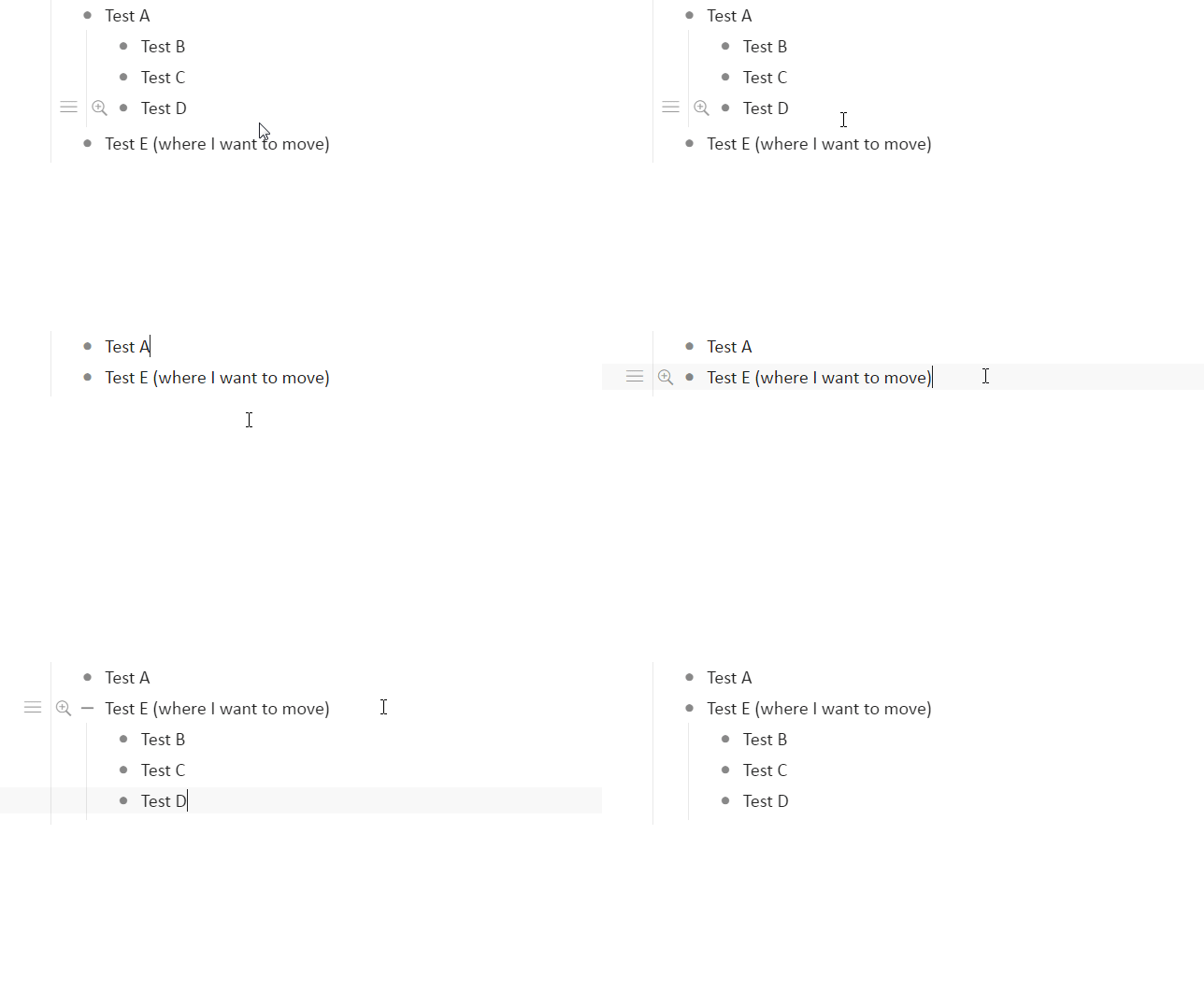
Suppose that you want to move “Child A” from “Parent A” to “Parent B”.
Parent A
Child A
Parent B
Child B
Child C
With existence shorcutkye, you have to hit
Shift + Tab -> Swap with next -> Tab -> Swap with previous (x 2times)
It is boring to me and I need a shortcut to do that.
I’m not a big fan of the built in shortcut commands, I do it old school with the following method
Click anywhere in my bulletpoint I want to move, 99% of the time I’m already on it when i want to move it
CTRL+A , CTRL+A (you have to press it twice)
CTRL+X
Pick my new bulletpoint location
CTRL+V
(takes less than 5 seconds)
Works on any bulletpoint, can move notes anywhere I want, as many notes I want, to any bulletpoint anywhere in my document. Takes same number of steps everytime
The problem with using any other method imo is inconsistency (e.g. if you move an item, does it go to bottom of list or top of list?)
Alternatively, you could just highlight everything you want to move, cut, make new indented bulletpoint, paste
As you can see it takes me less than 5 seconds to do
Side note if you had anything linking to any of these bulletpoints, it breaks the original link and you have to make a new one linking to it
Ahhhh you want the top of the list. Well I just tested this and you can add like 20 (or whatever) ctrl + up’s to the macro after the item is moved - because it’s a macro this happens instantly and will move it to the top of the new parent list (i just tested it with literally 20 items and the macro still takes <1 second). So this way you could make macros for top or bottom of next parent list as you like.
Yes I cut and paste items a lot too, but it requires at least some mouse clicking and I can’t think of a way it could be macro’d to always paste to the top of the next parent list as there’s no shortcuts to move to the nearest parent list or from one parent list to the next (ps. I would love these options) - but when you want precision or it’s a complex move, cut and paste is best
I’ve been strictly avoiding using any built-in system-dates and linking in general because those notes aren’t as portable and are therefore less accountable if I had to move my notes to any other platform for any reason
I hard code all my dates using week numbers and days like today is #W11A #16 or march 16th
Its personal preference, but since I don’t rely on the date system, I can cutpaste wherever I want without much fear asides links I’ve made to that bulletpoint
I still cannot imagine a better system then cutting+paste in some instances though, although it could be improved by “deselecting” some bulletpoints elements you don’t want to cut and paste
alternatively, I rely more on tagging than linking, which is a overall better practice imo (goes back to portability of notes)
I meant cut and paste. The moment you cut anything (CTRL+A, CTRL+A, CTRL+X) it immediately deletes all the metadata associated with that bulletpoint, including any links pointing to it
If you want a fairly clean way to move bulletpoints while still retaining the links/metadata using the move command, this is imo the easiest workaround to do it
Write a dummy bulletpoint, dubbed “asdf” or something you never type between bulletpoints you want to move
Highlight all the bulletpoints you wish to move
CTRL+SHIFT+M “asdf” press ENTER
Highlight all the bulletpoints, press tab
Delete the ASDF node
The gif above came out to 10 seconds though, but gives you an workaround to moving items without fail while only using the move command
@Erica,
Even with this user-level customization, I have to change the shortcut key when i want to move topic inside parent or cross parents.
I am appreciated if you consider :
@Erica I have this feature implemented in a similar app I developed. It really shines when combined with indent/unindent, enabling one to move a node to any other position in the document faster than using drag and drop, provided you introduce similar keyboard shortcuts (redundant, in dynalist’s case) for indent/unindent. In my app:
ctrl+shift+up/down move a node vertically across the document whenever there is an available position above/below at the same indent level. Usually this just means jumping from one parent to the next, but sometimes it means the node moves quite far in the document tree (e.g. to a different parent and a different grandparent).
ctrl+shift+right/left are dynalist’s indent/unindent.
I’d be happy to share my code (not interested in competing with you guys).