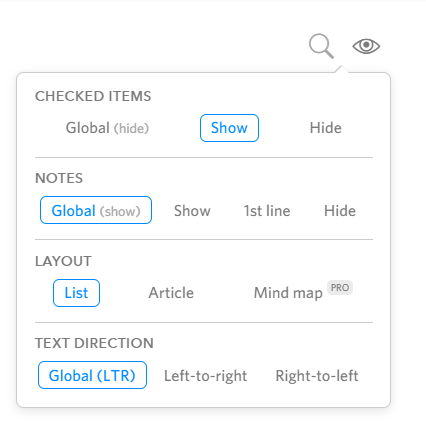
Ever since I upgraded to Pro for some reason when I add a note to a node (Shift+Enter) it now creates the note fully visible as opposed to before where I used to be able to decide whether or not it was visible:
Yeah but it doesn’t actually change anything. Either way whether I’ve got it set to Global/Show/1st line/Hide nothing changes. It’s still always like this:
That looks like a newline in the main content, not a note. Notes should have slightly smaller font. Not sure what you’re doing to get that instead of a note. Maybe you have some hotkey bound to shift enter?
Literally all I’m doing is hitting shift enter like you’re supposed to in order to add a note. I’ve not changed anything in my process for creating notes for nodes. The only thing that’s changed is when I upgraded to Pro.