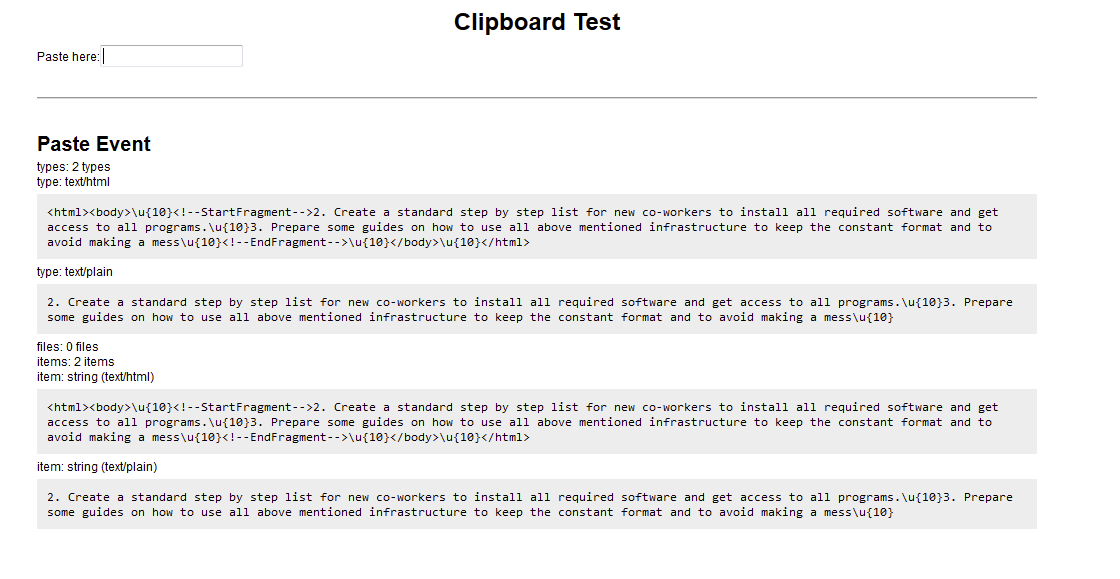
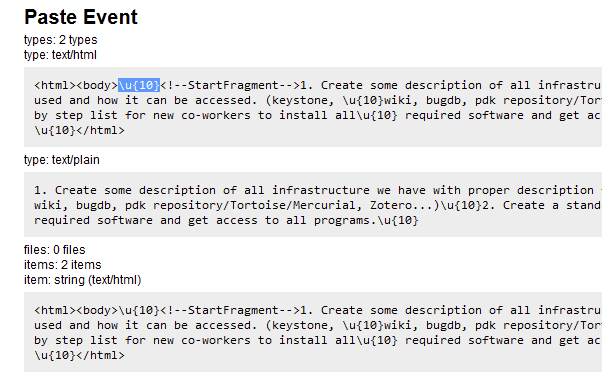
Seems like the HTML version that’s been copied is stripped of proper newlines, so pasting it in any HTML source would remove the line breaks. (Try pasting it in this forum reply)
What you could do is force the plaintext version by using Ctrl+Shift+V (or right click -> Paste as plain text). That should use the plaintext version seen from the paste which contains newlines properly.
Pasted to the forum reply kind of correctly (though I would admit that there are a little bit more newlines than I’d like to have):
Create some description of all infrastructure we have with proper description for what it is used and how it can be accessed. (keystone, wiki, bugdb, pdk repository/Tortoise/Mercurial, Zotero…)
Create a standard step by step list for new co-workers to install all required software and get access to all programs.
{13} is a new line. {10} is carriage return, a DOS thing that persists to this day as a {10}{13} combo seen in Windows text files. The {13} was stripped.
Newlines in HTML aren’t considered newlines, they are interpreted as a space character when rendered. This is by HTML standard. The only case where newlines are shown is when the CSS flag white-space is set to pre or any of the pre-* variants.
I suspect this is the case in Google Forms, but once it’s copied into the clipboard that flag is lost, which means pasting this snippet into anywhere that accepts HTML would convert the newline into a space.
I’m hoping the workaround I proposed should work, since the plaintext version also contains newlines which should be properly recognized.