Steps to reproduce
- Open a file.
- Change the viewing mode to
article. - Change the
list densitytocompactorcomfortable.
Expected result
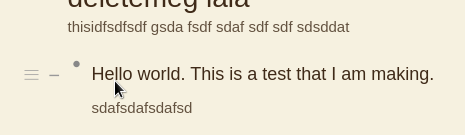
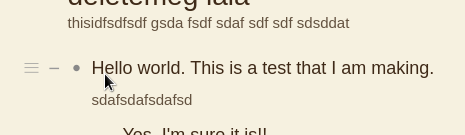
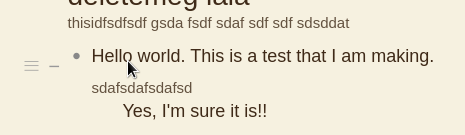
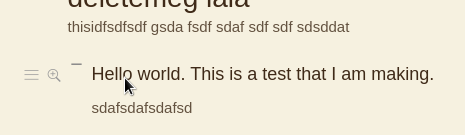
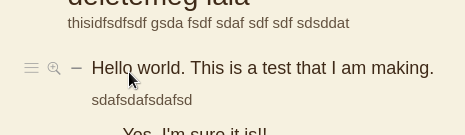
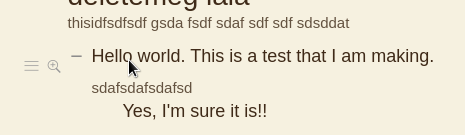
Expected the icons that appear when mouse hover an item to be aligned.
Actual result
Icons are misaligned.
-
Bullet point to zoom in: Enabled. List density: Comfortable.
-
Bullet point to zoom in: Enabled. List density: Cozy.
-
Bullet point to zoom in: Enabled. List density: Compact.
-
Bullet point to zoom in: Disabled. List density: Comfortable.
-
Bullet point to zoom in: Disabled. List density: Cozy.
-
Bullet point to zoom in: Disabled. List density: Compact.
Environment
Web dynalist. Chrome for linux.

 ! We’re cleaning up the bugs and would like to know if the bug is still happening to you? If not we’ll close this bug