Finally, I think I find the true reason.
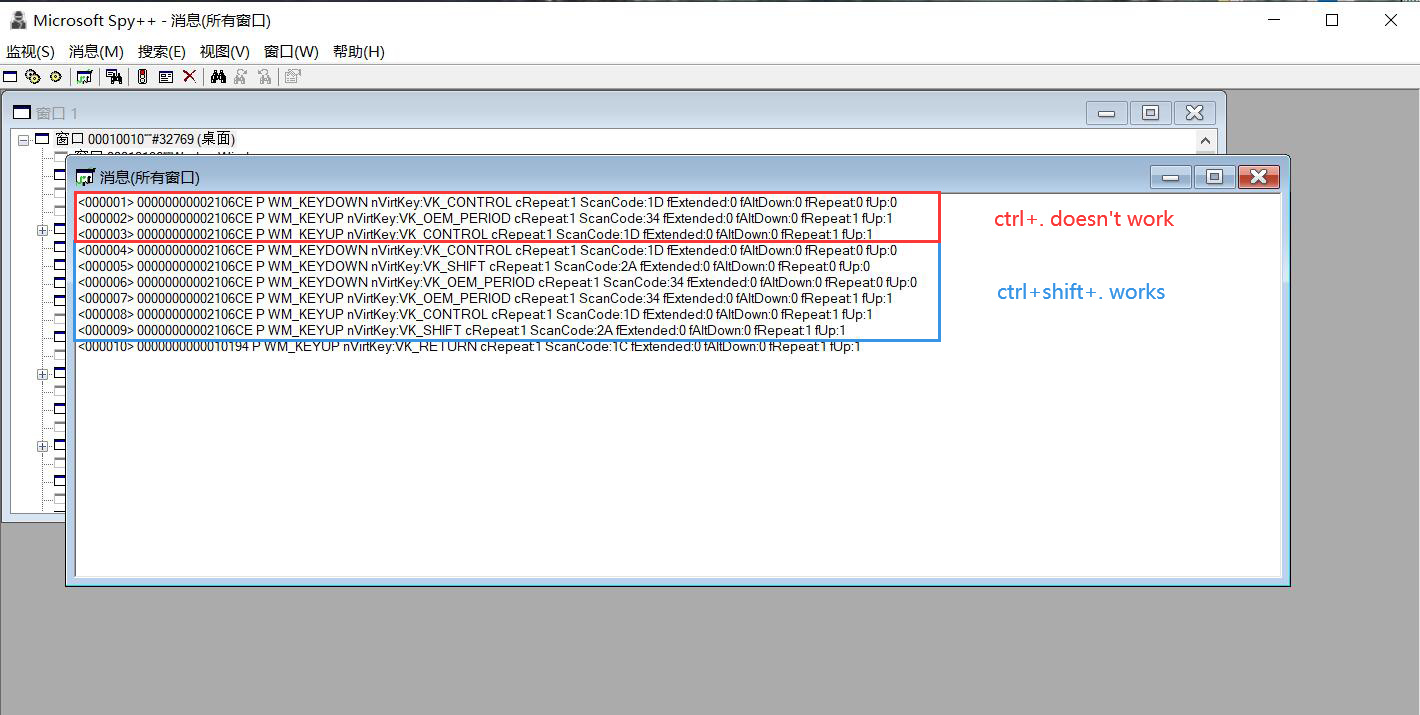
As the picture shows: the key difference between “ctrl+.” and “ctrl+shift+.” is there is only KEYUP for OEM_PERIOD, while there should be KEPUP and KEYDOWN for OEM_PERIOD like “ctrl+shift+.” does.
To check if there is something wrong with my “.” on the main keyboard area, I press “.” individually and the result is shown as below, which is correct with KEYUP and KEYDOWN.

So the problem comes to it seems when I press “ctrl”, then the KEYDOWN event for ‘.’ couldn’t be caught, and this is the only comb that would go wrong.
Finally, I tried the comb in other places, and the result is shown below that there is only KEYUP for the ‘.’ without KEYDOWN.
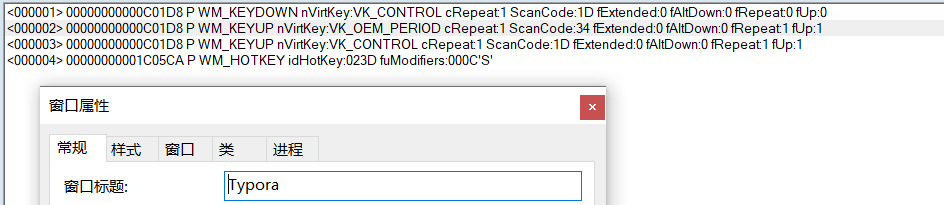
That shows this is truly my computer’s problem. I apologize for that I thought this was Dynalist’s bug before, I knew so little about the keyboard things.
So next, I think as long as figuring that why the KEYDOWN for ‘.’ couldn’t be caught when “ctrl” is pressed and solve this. The comb will work in Dynalist.